
-

Maximo Scheduler Enhancements since 7.6.8
Read more: Maximo Scheduler Enhancements since 7.6.8Get to know the enhancements made to Maximo Scheduler since Scheduler 7.6.8 in July 2020. This article is work in progress.
-

Scheduler Enhancements – Part 1
Read more: Scheduler Enhancements – Part 1Learn about some of the IBM Ideas (enhancements) that have been delivered for Maximo Scheduler since Scheduler 7.6.8 (Maximo 7.6.1.2) – Part 1.
-
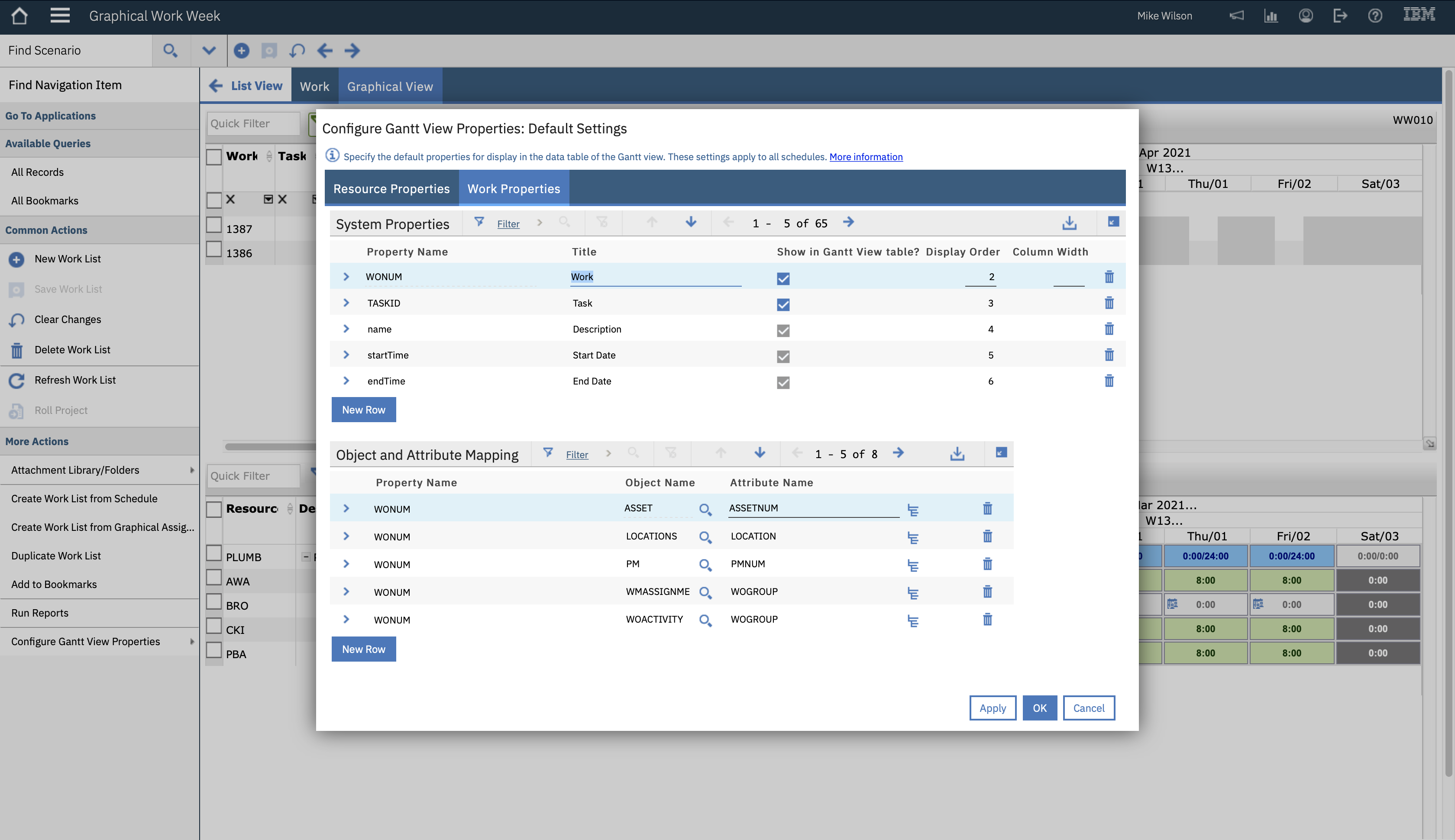
Configuring Graphical Work Week
Read more: Configuring Graphical Work WeekIn this article we explore adding a column to the Graphical Work Week (GWW) application, both in the work list as well as in the resource list. GWW does not support Work Zones, a pity, but you can get some way to assigning work to a labor that has the same work zone by adding…
-

Graphical Work Week – Assignments
Read more: Graphical Work Week – AssignmentsContents This article will focus on scheduling and how to make and break assignments and will include the automatic splitting of assignments and merging split assignments. As previous articles have all focused on Labor, this article will focus more on crews, however, the majority of the article will still be relevant to those of you…
-

Graphical Work Week – Resource View
Read more: Graphical Work Week – Resource ViewContents This is the fourth of a series of articles on the Graphical Work Week application that was introduced as part of Maximo Scheduler 7.6.8 in the summer of 2020. This article will focus on the Resource View, the lower of the two panes on the Graphical View tab. It is now 4th January 2021,…
-

Graphical Work Week – Work View
Read more: Graphical Work Week – Work ViewContents This is the third of a series of articles on the Graphical Work Week application that was introduced as part of Maximo Scheduler 7.6.8 in the summer of 2020. This article will focus on the Work View, the upper pair of panes on the Graphical View tab. The Work View is the top half…
-
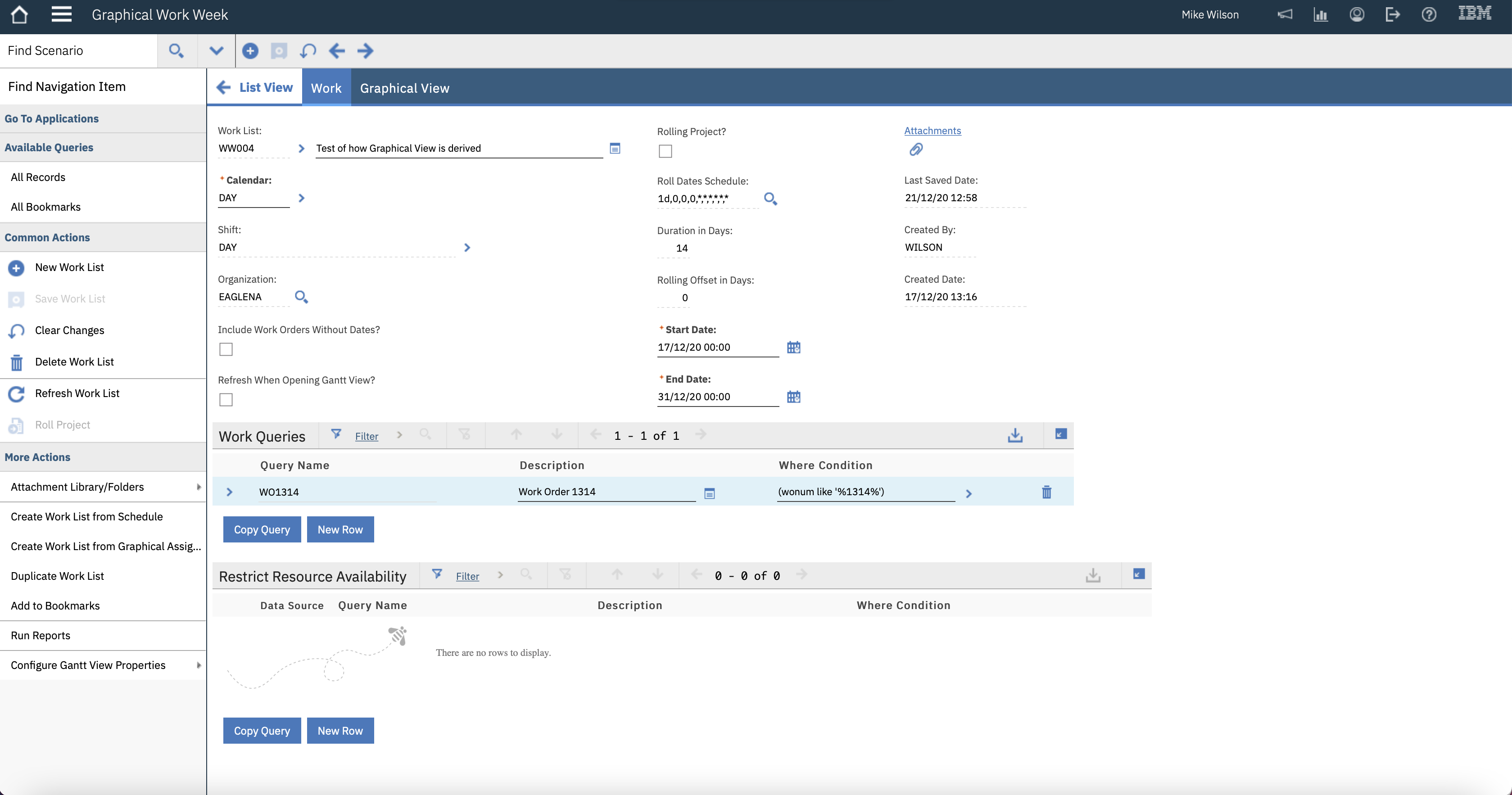
Graphical Work Week – Work Tab
Read more: Graphical Work Week – Work TabContents This is the second in a series of articles on the Graphical Work Week application. It will cover the List and Work tabs and the actions menu; it will also show how the work and resource queries result in the records shown in the Graphical View tab. List Tab The List Tab shows the…
-

Graphical Work Week – Overview
Read more: Graphical Work Week – OverviewContents The Graphical Work Week application was introduced as part of Maximo Scheduler 7.6.8 in the summer of 2020. It has been modelled on the Assignment Manager application, with a split screen, work assignments on the top and labor and crew resources on the bottom. As the name implies it is a week-by-week view. This…
-

Graphical Resource View (3) – Miscellaneous
Read more: Graphical Resource View (3) – MiscellaneousContents This is the last of three articles on the Graphical Resource View application. I am assuming you have read the first two which you can find here: Labor http://maximosecrets.com/2020/10/20/graphical-resource-view-1-labor/ Crews http://maximosecrets.com/2020/11/19/graphical-resource-view-2-crews/ This article will be a mixed bag including a deeper dive into the toolbar settings and some configuration of the application. We will…
-

Graphical Resource View (2) – Crews
Read more: Graphical Resource View (2) – CrewsContents The Graphical Resource View application has been designed to allow you to graphically enter and modify availability records for labor and crews. This is a graphical method of handling similar functionality to the two actions Modify Person Availability and Modify Crew Availability in the People and Crews applications respectively. This article will focus on…

A site dedicated to Maximo containing over 350 articles, podcast episodes and YouTube videos, updated weekly.