
-
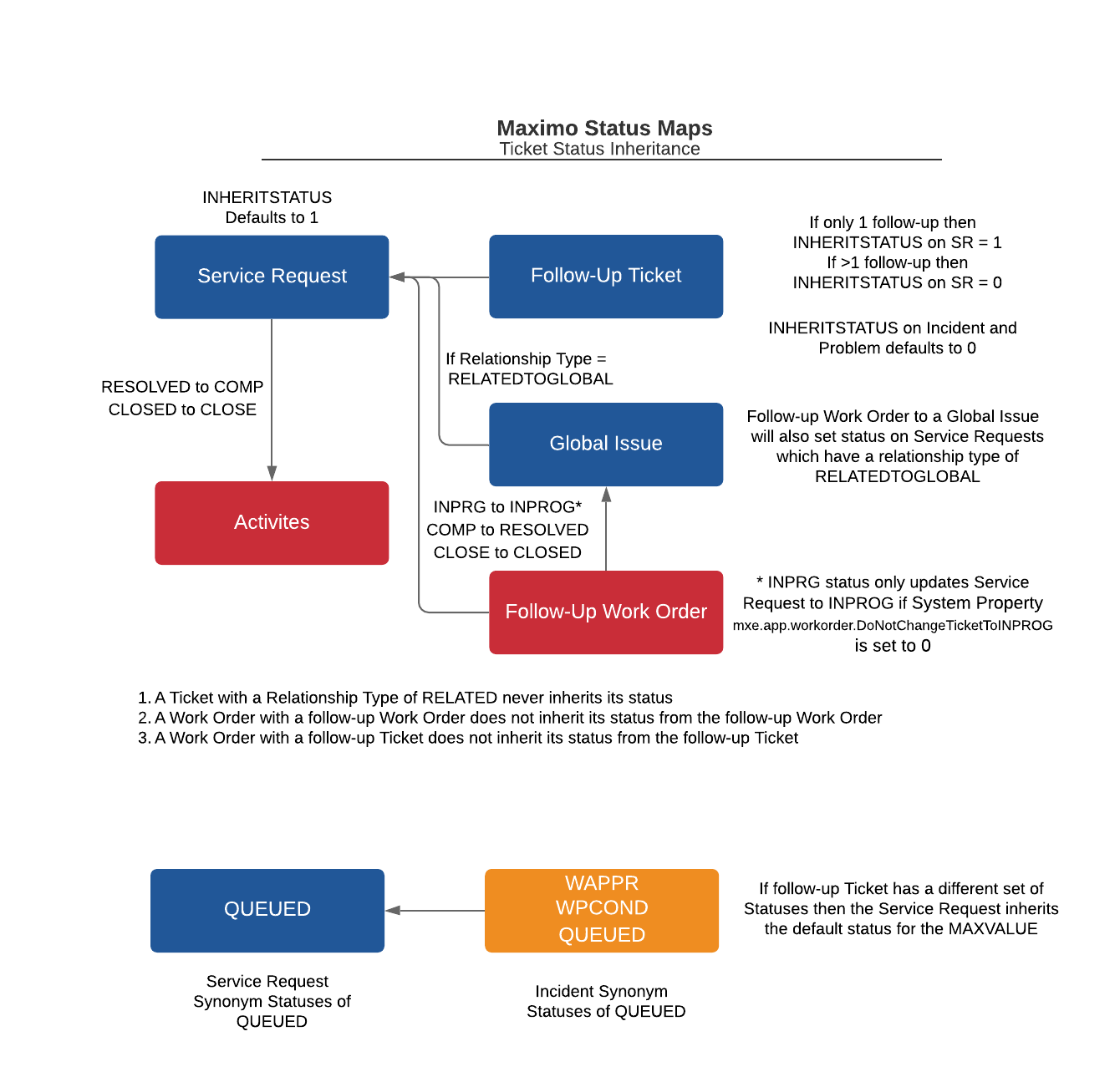
Status Inheritance on Tickets
Read more: Status Inheritance on TicketsContents There are three scenarios where the status could be inherited on a ticket. A ticket can have one or more activities and like there is a rolldown of statuses from a parent work order to its children there is a rolldown of the ticket status to child activities. To remind ourselves of the different…
-
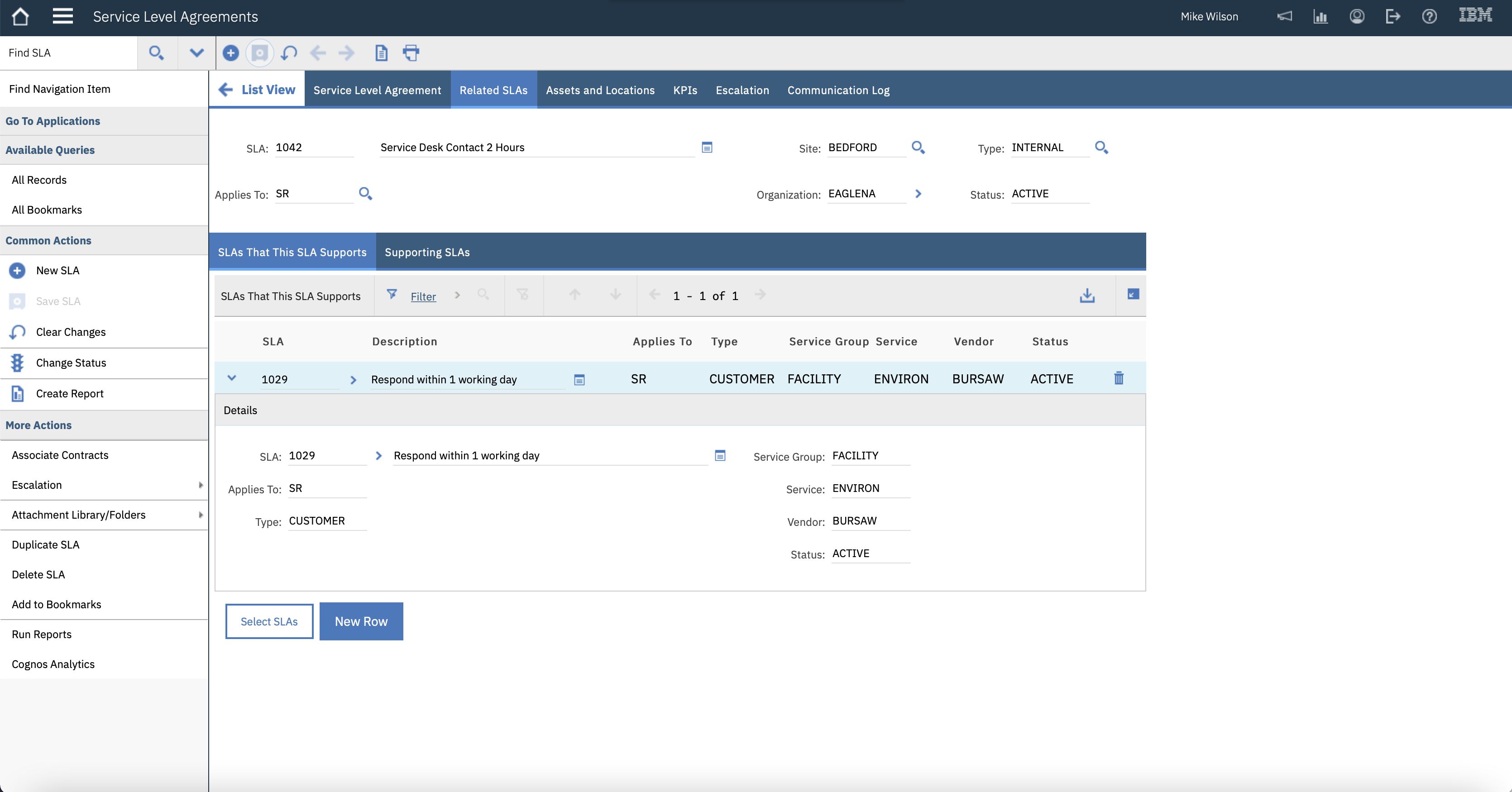
Service Level Agreements (4) – Related SLAs
Read more: Service Level Agreements (4) – Related SLAsContents This article will show how we can have one SLA supporting another. For example, a customer SLA may have multiple supporting SLAs, these may be of type INTERNAL, an Operational Level Agreement, or of type VENDOR, an underpinning agreement. There is nothing stopping one Customer SLA supporting another Customer SLA, but this would be…
-

Service Level Agreements (3) – Applying Multiple SLAs
Read more: Service Level Agreements (3) – Applying Multiple SLAsContents This is the third article in a series on the Service Level Agreements application. The first two in the series: In the first two articles we were keeping things simple with an SLA only having one commitment. An SLA can have multiple commitments and it is also possible to apply multiple SLAs to a…
-

Service Level Agreements (2) – Applying a Single SLA
Read more: Service Level Agreements (2) – Applying a Single SLAContents This is the second article in the series on Service Level Agreements. In this article we look at the filter criteria and matching process when applying a single SLA to a Service Request (SR). You can find the first article where we manually applied SLA 1029 to Service Request 1307 here: http://maximosecrets.com/2021/11/08/service-level-agreements-1-an-introduction/ SLA Filter…
-
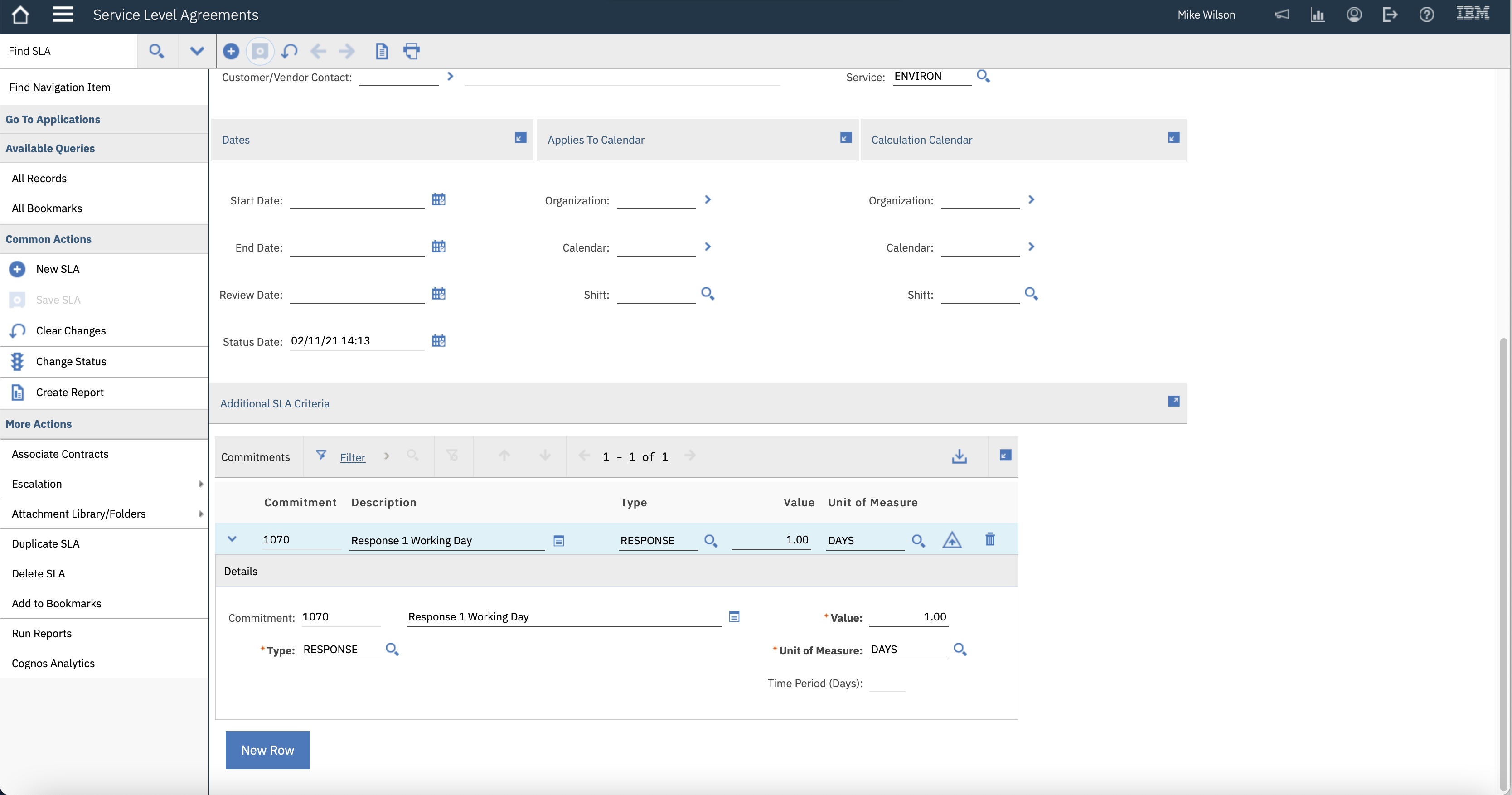
Service Level Agreements (1) – An Introduction
Read more: Service Level Agreements (1) – An IntroductionContents The Service Level Agreements (SLA) application is a powerful application but can be a bit difficult to understand. Then there are two versions the one you get in base Maximo and the one which Maximo for Service Provider clients use, which is the one embedded in other Maximo products like Maximo for Aviation or…
-
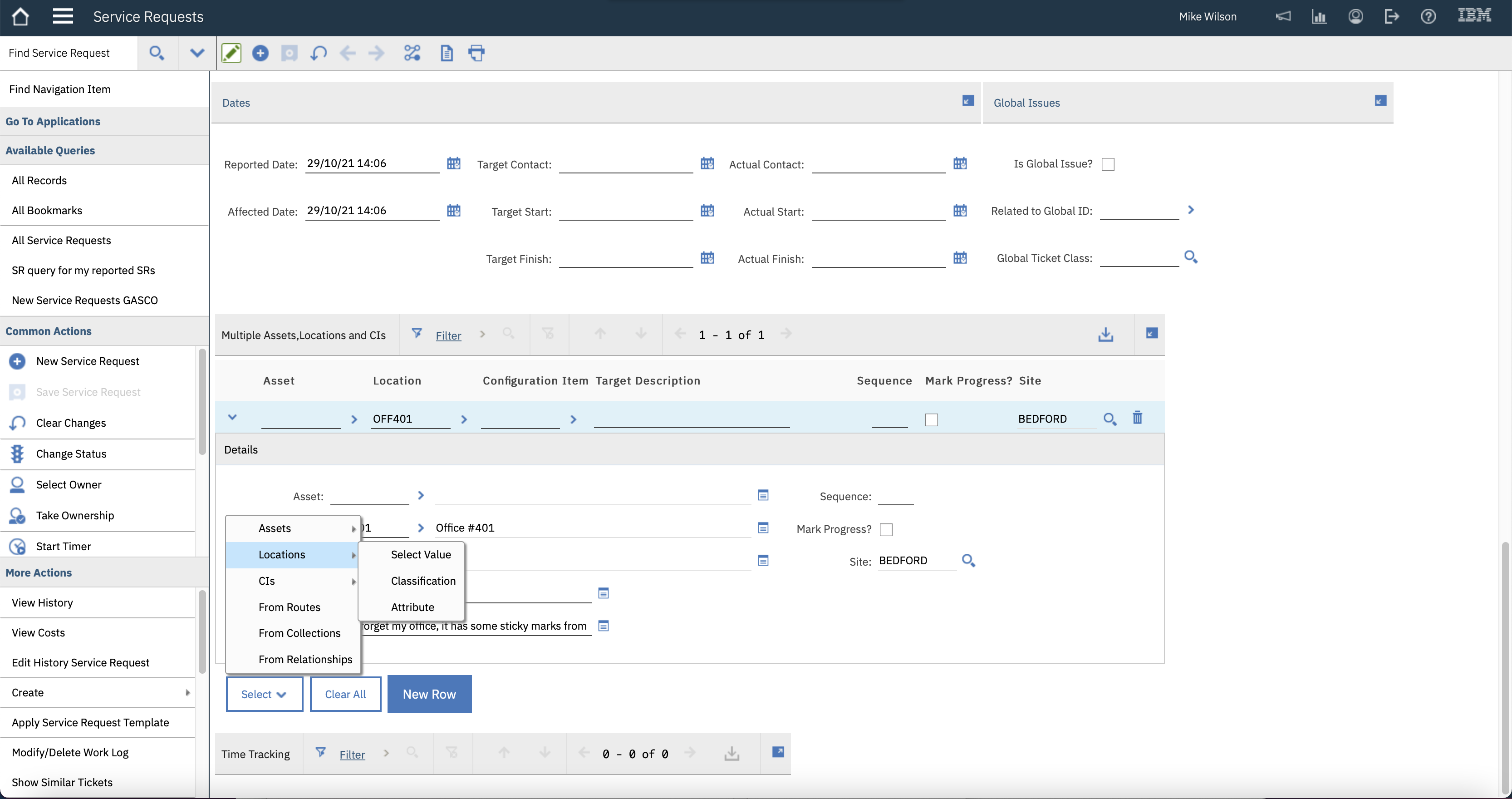
Service Requests – Multiple Assets
Read more: Service Requests – Multiple AssetsContents The Service Request application can reference multiple assets, locations, and configuration items (CIs). This article reviews this feature, and what you can do with the records once they have been added. Using the New Row on the Multiple Asset, Location and CIs table For this scenario I have created a new Service Request 1301…
-

Service Request – Work Logs
Read more: Service Request – Work LogsContents This article will look at three scenarios to show that by default work log records are visible in other applications than the one they were created in. Creating a Log Note from View Service Request In a previous article REDDING – Tony Redding created a service request 1273, we can see this in the…
-

Service Request – Related Tickets
Read more: Service Request – Related TicketsContents As a Service Desk agent, you would be querying where the Owner is yourself. Here I am logged in as AJE – Andrew Jeffery and I have one issue to deal with. The Service Request 1273 was created as part of the Self Service Service Request article which you can find here: http://maximosecrets.com/2021/10/01/self-service-service-requests/. It was…
-

Ticket Statuses
Read more: Ticket StatusesContents The status levels of a Service Request, Incident or Problem are the same. They are NEW, QUEUED, PENDING, INPROG (In Progress), RESOLVED, and CLOSED. The Synonym Domain SRSTATUS has CANCELLED and REJECTED as synonyms of CLOSED. There is also a status level for HISTEDIT that supports the action Edit History Service Request. We’ll focus…
-

Automatically Apply a Ticket Template
Read more: Automatically Apply a Ticket TemplateA Ticket Template can be manually applied to a Service Request, Incident or Problem through the actions Apply Service Request Template, Apply Incident Template or Apply Problem Template respectively. A dialog opens allowing you to choose the appropriate template for the class of ticket, SR, INCIDENT, PROBLEM. If you have many ticket templates, then finding…

A site dedicated to Maximo containing over 385 articles, podcast episodes, YouTube videos, and quizzes, updated weekly, 900K words!